Spring AI Interview Questions for Java Developers 2026
Here’s a scenario that’s playing out right now: a Java developer with five years of Spring Boot experience walks into an EPAM or a funded startup interview and gets blindsided by questions about RAG pipelines and vector stores. Not because they aren’t good — they just hadn’t prepared for Spring AI. This framework moved fast. Most interview prep material hasn’t caught up. This post will.
⏱️ 10 min read | 📚 Updated June 2026
💡 Quick Tip: Need fast answers? Jump directly to the FAQ section below.
Spring AI is the official Spring ecosystem answer to building AI-powered Java applications. It wraps OpenAI, Azure OpenAI, Ollama, and other providers behind a clean, familiar Spring abstraction. If you know Spring Boot, the learning curve is smaller than you think — but the interview questions test whether you actually understand what is happening under the hood, not just which annotations to use.
This guide targets Java developers preparing for 2026 interviews at TCS, Infosys, Wipro, EPAM, and AI-first startups. By the end, you’ll be able to explain chat models, embeddings, prompt templates, and Retrieval-Augmented Generation (RAG) with confidence — and answer the follow-up questions that separate average candidates from the ones who get offers.
Table of Contents
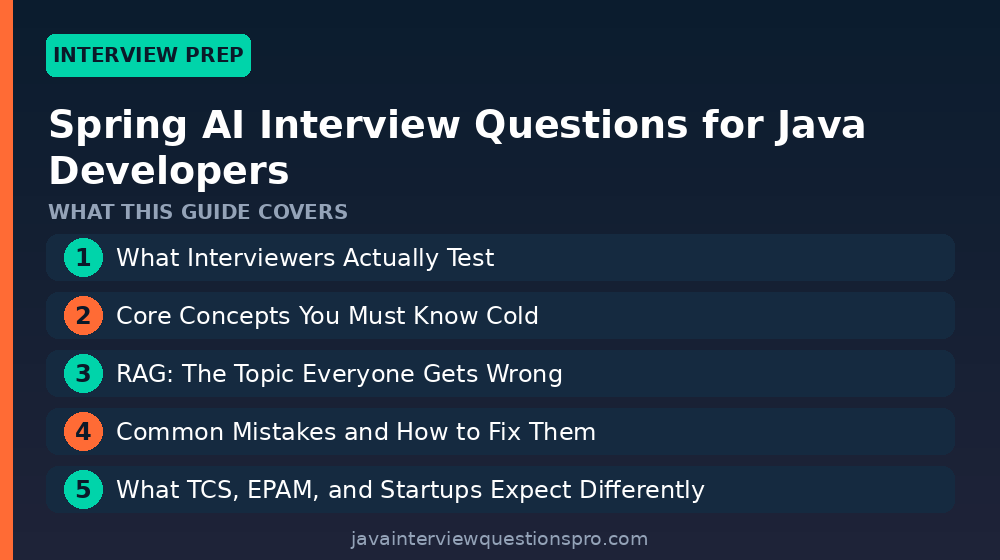
- What Interviewers Actually Test
- Core Concepts You Must Know Cold
- RAG: The Topic Everyone Gets Wrong
- Common Mistakes and How to Fix Them
- What TCS, EPAM, and Startups Expect Differently
- A Realistic 2-Week Prep Plan
- Frequently Asked Questions
What Interviewers Actually Test
Most interviewers asking Spring AI questions in 2026 are not AI researchers — they’re senior engineers evaluating whether you can integrate AI into production Java systems responsibly. They care about three things: Do you understand the abstractions? Can you reason about failure modes? Do you know when not to use AI?
The questions almost always start simple (“What is ChatClient?”) and then drill down fast (“What happens when the token limit is exceeded?” or “How would you make this stateless?”). The candidate who memorized a definition fails the follow-up. The candidate who built even a small demo — even with Ollama running locally — handles it naturally.
Pro tip: Before your interview, spend two hours building a Spring Boot 3.x app with
spring-ai-openai-spring-boot-starteror the Ollama starter (free, runs locally). Saying “I’ve wired this up myself” changes the entire tone of the conversation.
Core Concepts You Must Know Cold
Chat Models and ChatClient
The ChatModel interface is Spring AI’s primary abstraction for interacting with large language models. ChatClient (introduced in Spring AI 1.0.0-M1) is the fluent, higher-level API built on top of it — think of it like RestClient vs HttpURLConnection. Interviewers will ask you to explain both and why you’d choose one over the other.
// Injecting ChatClient via the auto-configured builder
@Service
public class SupportService {

    private final ChatClient chatClient;

    public SupportService(ChatClient.Builder builder) {
        // Builder is auto-configured by Spring Boot starter
        this.chatClient = builder
            .defaultSystem("You are a helpful Java support assistant.")
            .build();
    }

    public String answer(String userQuestion) {
        return chatClient.prompt()
            .user(userQuestion)
            .call()
            .content(); // returns the raw String response
    }
}
This code compiles against spring-ai-openai-spring-boot-starter:1.0.0-M6. The key thing to explain: ChatClient is request-scoped by design. Each .prompt() call builds a fresh request. The defaultSystem(...) on the builder sets a system prompt that persists across all calls made by this bean — useful for role-setting without repeating yourself.
Prompt Templates
A PromptTemplate lets you parameterize your prompts the same way you’d use MessageFormat or Thymeleaf — but for LLM input. This is something interviewers love because it shows you think about maintainability, not just “call the API and hope.”
@Component
public class ReviewSummarizer {

    private final ChatModel chatModel;

    // Prompt loaded from src/main/resources/prompts/summarize.st
    @Value("classpath:/prompts/summarize.st")
    private Resource promptResource;

    public ReviewSummarizer(ChatModel chatModel) {
        this.chatModel = chatModel;
    }

    public String summarize(String productName, String reviews) {
        PromptTemplate template = new PromptTemplate(promptResource);
        Prompt prompt = template.create(
            Map.of("product", productName, "reviews", reviews)
        );
        return chatModel.call(prompt).getResult().getOutput().getContent();
    }
}
The .st file is a StringTemplate file that looks like: “Summarize the following reviews for {product}: {reviews}”. Externalizing prompts into resources is a production best practice — it means your prompt engineers can iterate without recompiling Java code. That’s the real answer interviewers want to hear.
Embeddings
An EmbeddingModel converts text into a float vector — a list of numbers that captures semantic meaning. Two sentences that mean similar things will have vectors close together in high-dimensional space. This is the mathematical foundation for search, RAG, and recommendation features.
The wrong answer most candidates give: “Embeddings are like word2vec.” That’s not wrong, but it misses what interviewers care about in a Spring AI context. The right answer covers the use case: you generate embeddings for your documents once, store them in a vector store (like PGVector or Redis), and then at query time you embed the user’s question and find the nearest document chunks. Spring AI’s EmbeddingModel interface abstracts the provider so you can swap OpenAI embeddings for a local model without changing your application logic.
RAG: The Topic Everyone Gets Wrong
Retrieval-Augmented Generation is the single most-asked Spring AI topic right now because it solves a real problem: LLMs don’t know your private data. RAG lets you inject relevant context into the prompt at runtime so the model can answer questions about your own documents, tickets, or database records.
The architecture has three moving parts: an ingestion pipeline (load → split → embed → store), a retrieval step (embed query → similarity search → fetch top-k chunks), and a generation step (stuff chunks into prompt → call LLM). Spring AI’s QuestionAnswerAdvisor wires the retrieval and generation steps together for you.
@Configuration
public class RagConfig {

    @Bean
    public ChatClient ragChatClient(
            ChatClient.Builder builder,
            VectorStore vectorStore) {

        return builder
            .defaultAdvisors(
                // Automatically retrieves top-4 relevant chunks per query
                new QuestionAnswerAdvisor(vectorStore, SearchRequest.defaults())
            )
            .build();
    }
}
When a user asks a question, QuestionAnswerAdvisor intercepts the request, embeds the question, runs a similarity search against your VectorStore, and prepends the retrieved chunks to the prompt before the LLM ever sees it. The LLM then answers grounded in your data — it can’t hallucinate facts that aren’t in its context window (though it can still misinterpret them, which is a different problem worth mentioning in your answer).
The follow-up question you will get: “What happens when the retrieved chunks are too large for the context window?” The answer: you tune chunk size during ingestion (Spring AI’s TokenTextSplitter lets you control this), and you reduce topK in your SearchRequest. There’s no magic number — it depends on your model’s context window and the average density of your documents.
Pro tip: If you mention the difference between dense retrieval (embedding similarity, which Spring AI uses) and sparse retrieval (BM25/keyword search), you will stand out. Production RAG systems often use hybrid search. Spring AI doesn’t do this out of the box yet — saying so honestly signals real knowledge.
Common Mistakes and How to Fix Them
| Mistake | Why It’s Wrong | The Fix |
|---|---|---|
Storing ChatClient state between requests for “memory” |
Makes your service stateful and breaks horizontal scaling | Use MessageChatMemoryAdvisor with an external store (Redis, DB) keyed by session ID |
| Hardcoding prompts as Java string literals | Prompt changes require recompile and redeploy | Externalize to .st files under resources/prompts/ and inject with @Value |
| Re-embedding documents on every application startup | Wastes API tokens and adds latency; expensive at scale | Build a one-time ingestion pipeline (a separate @Component or CLI job) and check for existing vectors first |
Not handling AiException / rate limit errors |
Provider outages crash your service with a 500 | Wrap calls in a resilience pattern (Resilience4j retry + fallback) and surface a graceful degradation message |
What TCS, EPAM, and Startups Expect Differently
At TCS and Infosys, 2026 interview panels for AI-adjacent roles are still finding their footing. Expect conceptual questions (“Explain RAG in plain English”) more than hands-on coding. They want to know you understand the landscape — mention Spring AI alongside Spring Boot 3, Java 21 virtual threads, and their potential integration in microservices.
EPAM is more technical. They run product-engineering delivery for global clients, so expect a whiteboard-style design question: “Design a document Q&A service using Spring AI.” You should be ready to sketch the ingestion pipeline, the vector store choice (PGVector if they’re already on Postgres, Weaviate or Redis for dedicated vector DBs), and the query flow. Talk about latency, token costs, and observability.
Startups want you to move fast and make pragmatic choices. They’ll ask: “Which embedding model would you use if we need to minimize cost?” The honest answer — a smaller local model via Ollama for development, switching to text-embedding-3-small on OpenAI for production — shows cost awareness. Check out the official Spring AI reference documentation for the full list of supported providers.
For deeper background on Spring Boot 3 features that underpin Spring AI’s auto-configuration, see our guide on advanced Java and Spring concepts.
A Realistic 2-Week Prep Plan
Week 1 — Build, don’t just read. Day 1-2: Set up a Spring Boot 3.2+ project with the Ollama starter (no API key needed). Get a ChatClient calling a local Llama 3 model. Day 3-4: Add a PromptTemplate loaded from a resource file. Day 5-7: Implement a basic RAG pipeline with SimpleVectorStore (in-memory, no DB setup required) and QuestionAnswerAdvisor. Load 5-10 text documents and query them.
Week 2 — Go deeper on what interviewers probe. Day 8-9: Replace SimpleVectorStore with PGVector (Docker makes this fast). Understand the VectorStore interface. Day 10-11: Add conversation memory using InMemoryChatMemory and understand its limitations. Day 12-13: Read the Spring AI Advisors API docs — interviewers at EPAM love asking about the advisor chain. Day 14: Review the Java 21 features (virtual threads, records, sealed classes) and think about how they complement AI workloads that are heavily I/O-bound.
Two weeks of building beats two months of reading. If you want structured practice beyond Spring AI, our Java basics refresher covers the core knowledge that interviewers check before they get to the AI layer.
Frequently Asked Questions
Is Spring AI stable enough to ask about in 2026 interviews?
Spring AI 1.0 GA released in mid-2024, and 1.x patch versions have been steadily shipping since. Enterprise adoption is accelerating — TCS and Wipro have publicly announced AI practice buildouts on the Spring ecosystem. You should treat it as a production-ready topic, not a beta curiosity.
What’s the difference between ChatModel and ChatClient in Spring AI?
ChatModel is the low-level interface that maps directly to a provider’s API call. ChatClient is the fluent, high-level wrapper introduced in Spring AI 1.0 that adds advisors, memory, and a builder pattern on top of ChatModel. In most application code you’ll use ChatClient; you drop to ChatModel only when you need raw control or are building a custom advisor.
Do I need to know Python or LangChain to interview for Spring AI roles?
Not for Java-specific roles, but knowing that LangChain is the Python equivalent and being able to compare architectures is a plus at EPAM and startups. Focus your energy on Spring AI’s abstractions — ChatClient, EmbeddingModel, VectorStore, advisors — and you’ll be better prepared than 90% of candidates.
Which vector database should I mention in interviews?
Mention at least two and explain the tradeoff. PGVector is the pragmatic choice if you’re already on PostgreSQL — zero new infrastructure. Weaviate or Pinecone make sense when you need dedicated vector search at scale with filtering. Spring AI’s VectorStore interface abstracts the choice, which is the key point interviewers want to hear.
How do I explain RAG to a non-technical interviewer panel?
Use this analogy: “Imagine the LLM is a brilliant consultant who has amnesia about your company. RAG is the briefing document you hand them before the meeting — it contains only the relevant facts they need to answer your question.” Then describe the technical steps. This approach works well in TCS and Infosys panels that include project managers.
What Java version should I assume in a Spring AI project?
Spring AI 1.x requires Java 17 as the minimum, but Java 21 is the recommended version. AI workloads involve a lot of blocking I/O waiting for model responses — this is exactly where Java 21 virtual threads (Project Loom) provide real throughput benefits. Mentioning this connection in an interview signals strong platform awareness.